Best Open Source Models for OpenClaw
GLM-5.2 and MiniMax M3 are the best open source models for running OpenClaw. Setup, pricing, why Claude Code or Gemini CLI subscriptions are a bad idea, and when to try Kimi K3.
 Dragos12 min read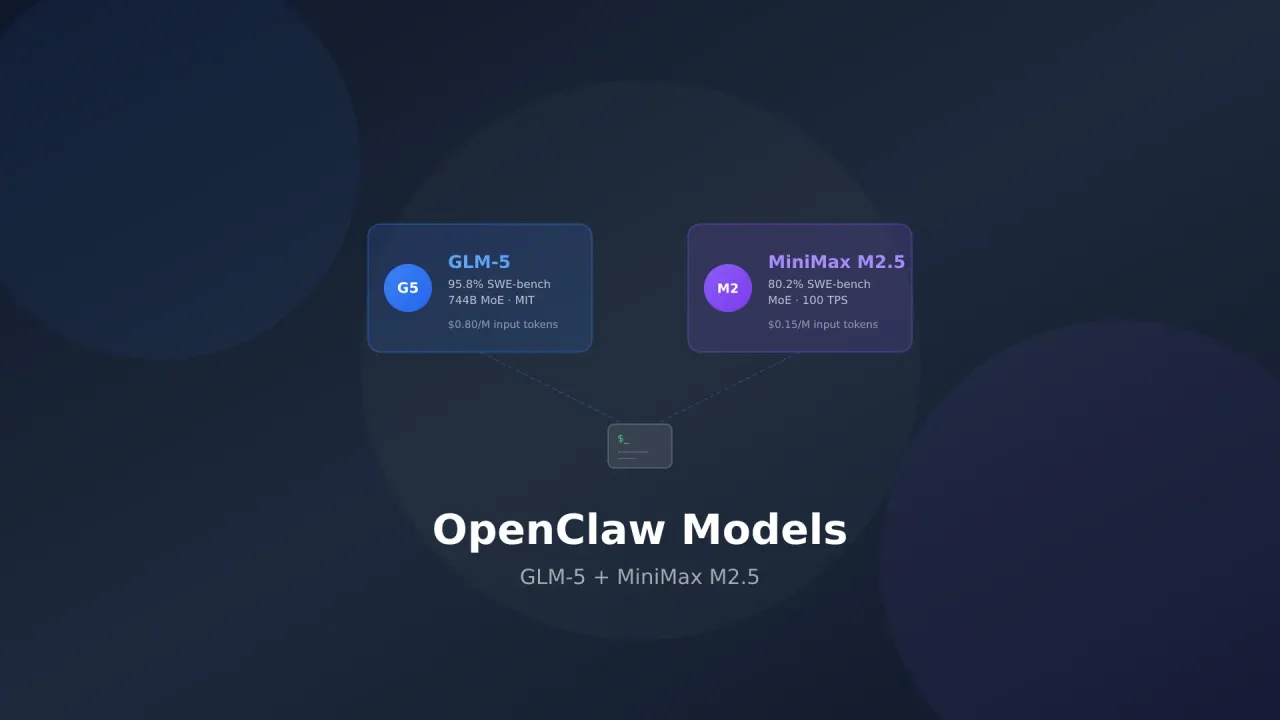
I’ve been running OpenClaw for a while and tried a pile of models with it. After swapping providers and watching API bills, two still make the most sense for day-to-day use: GLM-5.2 and MiniMax M3.
Below: why I landed there, how to set them up, why routing a Claude Code or Gemini CLI subscription through OpenClaw is a bad idea, and when Kimi K3 is worth the higher output price.
Subscription Risk Warning
Using your Claude Code, Gemini CLI, or ChatGPT/Codex subscription OAuth tokens with OpenClaw can get your account banned. Anthropic, Google, and OpenAI watch for automated usage patterns that fall outside normal CLI use. Stick with API keys.
Why open source models make sense for OpenClaw
OpenClaw runs 24/7 on your server. It handles messages, scheduled jobs, and skills nonstop. That continuous load gets expensive on proprietary models.
Open source models through API providers give you:
- Predictable costs: Pay per token, no surprise subscription overages
- No ban risk: API access is meant for automated use
- Model flexibility: Swap models in config
- Better rate limits: API tiers usually beat subscription OAuth for throughput
If you’re new to OpenClaw, the setup guide covers install. For other platforms, see OpenClaw alternatives. For the wider coding-model roundup (Opus 5, GPT-5.6 Sol, Kimi K3, and the rest), see best open source LLMs as Claude alternatives.
The risks of using Claude Code or Gemini CLI subscriptions
I’ll get this out of the way first because people ask constantly.
OpenClaw can take OAuth tokens from Claude Code, Gemini CLI, and OpenAI Codex. Technically you can point a $20/month Claude Pro plan or a Google AI sub at OpenClaw instead of paying API credits. It works. You’re also gambling.
Why you can get banned
Anthropic, Google, and OpenAI restrict how subscription tokens may be used. Route a Claude Code OAuth token through OpenClaw and this is what changes:
- Usage patterns: Normal Claude Code looks like a human in a terminal. OpenClaw fires automated requests around the clock, often in bursts when jobs run
- Token volume: An always-on assistant burns more than a human coding session
- Retries and parallel calls: Failures and fan-out look like scraping to detectors
- IP and fingerprinting: VPS data-center traffic does not look like a laptop on residential internet
What happens when you get banned
| Platform | Consequence | Recovery |
|---|---|---|
| Claude Code | Account suspended, subscription cancelled | Appeal exists, no guarantee |
| Gemini CLI | Google account flagged, API access revoked | Can spill into other Google services |
| OpenAI Codex | Account banned, subscription terminated | Limited appeal options |
Real Risk
People have lost accounts within days of routing subscription tokens through automated tools. Detection is getting better, not worse. A Claude Max sub is not worth risking over a few dollars of API spend.
What to do instead
Use API keys. Every provider sells pay-as-you-go access built for automation:
- Anthropic API: console.anthropic.com
- Google AI: aistudio.google.com
- OpenAI API: platform.openai.com
Or skip the ban question entirely and use open models. That’s the rest of this post.
1. GLM-5.2: The one I use for serious work
GLM-5.2 from Z.AI is the open model I trust most for OpenClaw’s hard path. It reasons well, rarely invents facts when it shouldn’t, and holds multi-step agent work without falling apart halfway through. On Terminal-Bench 2.1 it scores 81.0%, which beats Claude Opus 5’s 78.9%. SWE-Bench Pro sits at 62.1%, close to GPT-5.6 Sol’s 64.6%.
Why GLM-5.2 works for OpenClaw
OpenClaw is not a chatbot. It plans, calls tools, runs scripts, and keeps context across long threads. GLM-5.2 handles that kind of work reliably.
- 62.1% SWE-Bench Pro: Among the best open coding scores; matters when OpenClaw edits or runs code on your box
- 81.0% Terminal-Bench 2.1: Beats Opus 5 on that agent CLI suite
- 1M context: Room for long OpenClaw history plus tool dumps
- Effort control: High vs Max when you want speed or depth
- Low hallucination reports: When the assistant shells out on a live server, wrong answers hurt
- Open source license: Fine for automated commercial workflows
Technical specs
| Feature | GLM-5.2 |
|---|---|
| Parameters | 753B |
| Context Length | 1M tokens |
| SWE-Bench Pro | 62.1% |
| Terminal-Bench 2.1 | 81.0% |
| Input Cost | $1.40/M tokens |
| Output Cost | $4.40/M tokens |
| License | Open source |
Setting up GLM-5.2 with OpenClaw
openclaw configure --section modelsOr edit the config directly:
{
  "agents": {
    "defaults": {
      "model": {
        "primary": "z-ai/glm-5.2",
        "fallback": ["minimax/m3"]
      }
    }
  }
}
Then restart the gateway:
openclaw gateway restartGLM-5.2 is on OpenRouter and the Z.AI API. For OpenClaw I’d use Z.AI coding plans; they’re priced for continuous developer workloads.
GLM Coding Plans
Z.AI offers GLM Coding Plans aimed at people running continuous workloads like OpenClaw. Peak hours still burn more quota (3× peak / 2× off-peak on some plans; check current Z.AI docs).
Where GLM-5.2 shines in OpenClaw
- Scheduled tasks: Morning briefings, server checks, cron jobs that need to actually work
- Coding skills: Scripts, Docker, repo edits
- Research: Pairs well with DuckDuckGo search
- Multi-step skills: Chains of tool calls without losing the plot
- Long sessions: 1M context helps when history piles up
2. MiniMax M3: The cheap one that still holds up
MiniMax M3 costs a fraction of GLM-5.2 and still posts 59.0% SWE-Bench Pro, 1M context, and native image/video. For always-on OpenClaw chat and light skills, that price gap matters over a month. It beats older GPT-5.5 / Gemini 3.1 Pro coding numbers; GPT-5.6 Sol at 64.6% is still ahead. That’s fine. M3 is the value default, not the absolute peak.
Why MiniMax M3 works for OpenClaw
Most OpenClaw traffic does not need the absolute best model. Quick questions, reminders, file ops, simple research. A cheaper model handles those. M3 is cheap enough that you stop thinking about it.
- 59.0% SWE-Bench Pro: Enough for most OpenClaw coding skills
- $0.30/M input / $1.20/M output: Always-on use often lands around $7–15/month
- 1M context with MSA: Long context without absurd compute cost
- Native multimodality: Screenshots and short video when a skill needs eyes
- 66.0% Terminal-Bench 2.1: Solid for shell-heavy skills
- Agent frameworks: Works with the usual Claude Code-compatible / agent stacks
Technical specs
| Feature | MiniMax M3 |
|---|---|
| Architecture | MiniMax Sparse Attention (MSA) |
| Context Length | 1M tokens |
| SWE-Bench Pro | 59.0% |
| Terminal-Bench 2.1 | 66.0% |
| Input Cost | $0.30/M tokens |
| Output Cost | $1.20/M tokens |
| Cache Read | $0.06/M tokens |
Setting up MiniMax M3 with OpenClaw
{
  "agents": {
    "defaults": {
      "model": {
        "primary": "minimax/m3",
        "fallback": ["z-ai/glm-5.2"]
      }
    }
  }
}
If your provider exposes a faster variant, point interactive chat there and keep standard M3 (or GLM) for heavier skills. Model IDs move; check OpenRouter / MiniMax for the current slug.
Cost Breakdown
At list rates, heavy always-on OpenClaw on MiniMax M3 often lands around $7–15/month depending on tool spam and context size. Claude API for the same pattern is easy $50–150+.
Where MiniMax M3 shines in OpenClaw
- Always-on chat: Cheap enough you don’t ration messages
- Quick tasks: Reminders, files, simple lookups
- Coding assist: 59% SWE-Bench Pro covers a lot of everyday skill work
- Scheduled jobs: Briefings and server checks on a budget
- Fallback: Secondary model when the primary hits rate limits
3. Optional: Kimi K3 when the hard path needs more
Kimi K3 (2.8T MoE, 1M context, multimodal, open weights July 27, 2026) leads SWE Marathon and Frontend Code Arena and scores 88.3% on Terminal-Bench 2.1. AA Intelligence sits around 57 (#4 of 189).
I do not run it as my default OpenClaw model. Fresh input is $3/M and output is $15/M. That output price is higher than GLM-5.2 and wrecks the “cheap always-on” story unless cache-hit input ($0.30/M) stays very high. Use K3 for:
- Tough multi-hour coding / agent marathons
- Web-heavy research (BrowseComp 91.2)
- Frontend-heavy skills where Arena rank matters
Example primary/fallback if you want it only for a dedicated agent:
{
  "agents": {
    "defaults": {
      "model": {
        "primary": "z-ai/glm-5.2",
        "fallback": ["minimax/m3"]
      }
    }
  }
}
Point a specific high-stakes agent at the Kimi K3 provider ID when you need it; leave chat and cron on MiniMax or GLM.
GLM-5.2 vs MiniMax M3: head to head
| Feature | GLM-5.2 | MiniMax M3 |
|---|---|---|
| SWE-Bench Pro | 62.1% | 59.0% |
| Terminal-Bench 2.1 | 81.0% | 66.0% |
| Input Cost | $1.40/M | $0.30/M |
| Output Cost | $4.40/M | $1.20/M |
| Context Length | 1M | 1M |
| Multimodal | No | Yes (img+video) |
| Best for | Complex tasks, coding, research | Always-on chat, budget usage |
| Monthly cost (est.) | $30–60 | $7–15 |
What I actually run
Both. GLM-5.2 as primary, MiniMax M3 as fallback:
{
  "agents": {
    "defaults": {
      "model": {
        "primary": "z-ai/glm-5.2",
        "fallback": ["minimax/m3"]
      }
    }
  }
}
GLM does the hard stuff. MiniMax catches rate limits and keeps simple chat cheap. For low-stakes skills and scheduled noise, point those agents at MiniMax directly.
DuckDuckGo search with your models
GLM-5.2 and MiniMax M3 both work with OpenClaw web search. Setup: DuckDuckGo OpenClaw search guide.
Without search, OpenClaw is stuck on training cutoffs. With search, it can pull current docs and status pages when skills need them.
Cost comparison: open source vs subscriptions
Rough monthly OpenClaw spend by approach:
| Approach | Monthly Cost | Ban Risk | Notes |
|---|---|---|---|
| Claude Code OAuth | $20–200 (sub) | High | ToS risk, suspension |
| Gemini CLI OAuth | $0–20 (sub) | High | Can hit the whole Google account |
| Claude API (Opus 5 / Sonnet 5) | $50–200+ | None | Expensive for 24/7 |
| GPT-5.6 Sol API | $50–150+ | None | Strong coding, still pricey always-on |
| GLM-5.2 API | $30–60 | None | Best balance for hard work |
| MiniMax M3 API | $7–15 | None | Best pure value |
| Kimi K3 API | $40–180+ | None | Depends hard on cache / output volume |
| GLM-5.2 + M3 combo | $20–45 | None | What I run |
API plus open models usually costs less than a Claude Max-style setup for always-on agents, and you keep the account.
Tips from running this setup
Prompt tuning
GLM-5.2 and MiniMax M3 react differently to the same prompt. GLM likes clear, structured instructions. MiniMax is fine with casual chat but needs explicit format rules for structured output.
Put shared guardrails in ~/.openclaw/workspace/SOUL.md:
When executing tasks:
- Break complex requests into clear steps
- Confirm before running destructive commands
- Use structured output for research results
Context management
Both support 1M tokens, but shorter threads still work better. Use /compact when history balloons, or /new when the session is toast.
Monitoring costs
Watch usage the first week. Cron and background skills burn more tokens than chat alone:
- Z.AI: z.ai/dashboard
- MiniMax: platform.minimax.io
Fallback configuration
Always set a fallback. Providers go down. If GLM is out at 3 AM and a briefing is scheduled, MiniMax should pick it up.
Frequently Asked Questions
Can I use both GLM-5.2 and MiniMax M3 at the same time?
Yes. Primary + fallback in config, or different models per agent/skill.
Will using my Claude subscription with OpenClaw definitely get me banned?
Not guaranteed, but the risk is real. Anthropic monitors automated OAuth patterns. Several people have reported suspensions. API access exists for a reason.
How much does OpenClaw cost with MiniMax M3 for a month?
Most light-to-medium setups land around $7–15. Heavy cron + long contexts can hit $20–25. Still far under Opus 5 / GPT-5.6 Sol API for the same pattern.
Should I use Kimi K3 as my default OpenClaw model?
Only if you need its coding/web peaks and you understand $15/M output. For 24/7 chat and light skills, MiniMax M3 or GLM-5.2 are more rational. K3 shines on hard one-off agent runs and warm multi-turn coding with high cache hits.
Can I switch models without restarting OpenClaw?
Yes. /model in chat for on-the-fly switches. Permanent changes: edit config, then openclaw gateway restart.
Do these models support DuckDuckGo search in OpenClaw?
Yes. See the DuckDuckGo search integration.
What about local models with Ollama?
Solid if you have the hardware. OpenClaw with Ollama covers tiers, Nanbeige-class small models, and hybrid local primary + API fallback. On a typical VPS, GLM-5.2 / MiniMax M3 over API still beat what you can run locally.
There is no good reason to risk a Claude or Gemini subscription on an always-on agent. GLM-5.2 handles the hard work, MiniMax M3 keeps everyday traffic cheap, and Kimi K3 is there when a single job needs the open-weight peak. Set primary + fallback, lock the box down, and stop worrying about ban emails.
Harden first if you have not already. The OpenClaw security guide covers CVE-2026-25253, 40+ patched issues, and a lockdown checklist.
For the full model breakdown (Kimi K3, Qwen 3.6 Plus, MiMo V2.5 Pro, Mistral Medium 3.5, Opus 5, GPT-5.6 Sol, DeepSeek-V4), read best open source LLMs for coding. Platform shopping: OpenClaw alternatives. Broader AI tooling on GitHub (assistants, coding agents, gateways, memory): top AI GitHub repos. Container-isolated Claude agents: NanoClaw deploy. Small Zig binary with many providers: NullClaw deploy. Visibility into sessions, costs, and cron: best OpenClaw dashboards.