Traefik HTTP to HTTPS Redirect: Complete v3 Setup Guide
Configure Traefik HTTP to HTTPS redirect using entrypoints or middleware. Step-by-step Traefik v3 guide with Docker Compose, global and per-service redirect options.
 Dragos20 min read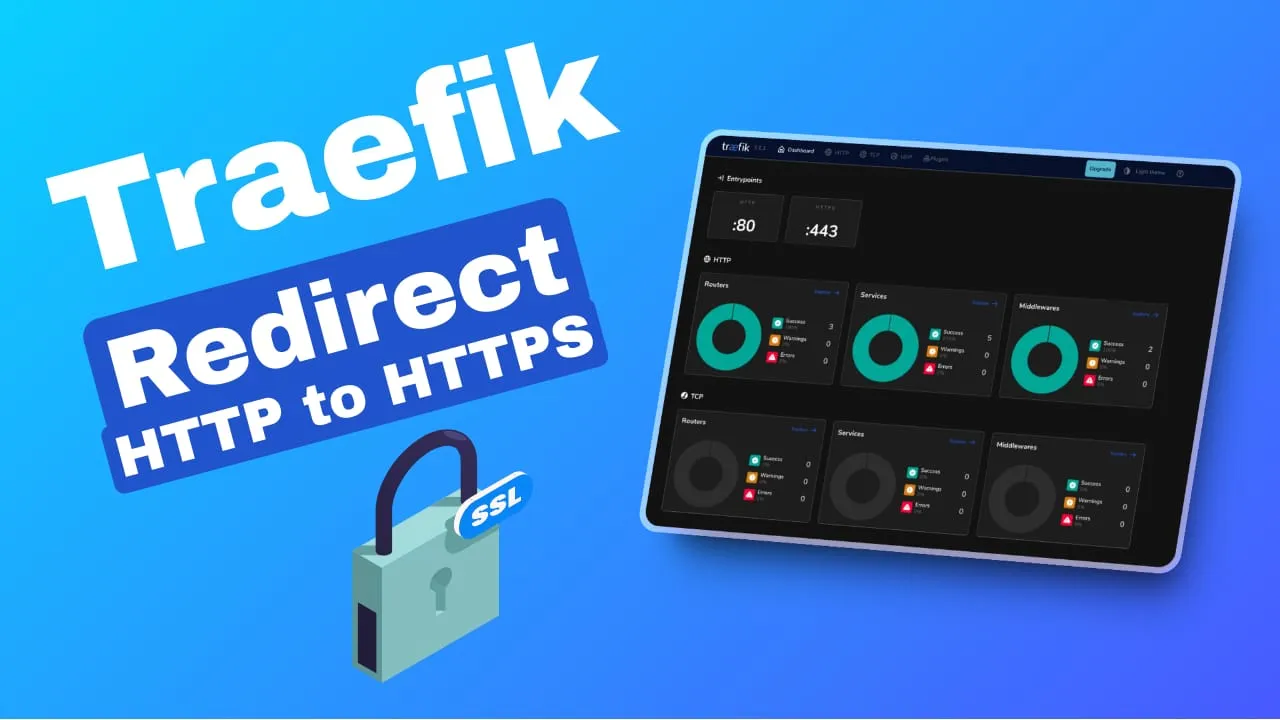
Every Traefik setup should redirect HTTP to HTTPS. This guide covers the two ways to do it: global entrypoint-level redirect (recommended for most setups) and per-service middleware redirect (for when you need granular control). All config snippets target Traefik v3.x and use the web/websecure entrypoint naming convention.
Tested with Traefik v3.7
This guide targets Traefik v3.x. All config snippets use the web/websecure entrypoint naming convention. Traefik v2.11 reached end-of-life in February 2026 : upgrade if you haven’t already.
Benefits of redirecting HTTP to HTTPS
Security and data integrity
HTTPS encrypts everything between the browser and your server. Login credentials, API tokens, form data, none of it travels in plaintext. Without HTTPS, anyone on the network path (ISP, coffee shop Wi-Fi, compromised router) can read and modify traffic. HTTPS also ensures the data transferred arrives unaltered.
SEO and browser trust
HTTPS has been a confirmed Google ranking factor since 2014. HTTP-only sites get penalized. Chrome, Firefox, and Safari all flag HTTP sites as “Not Secure,” and users bounce when they see that. Once you’re fully HTTPS, you stop fighting mixed-content warnings that break layouts and scripts.
Performance
No browser supports HTTP/2 over plaintext. If you want multiplexed connections and header compression, you need TLS. Traefik v3 also has stable HTTP/3 (QUIC) support. QUIC runs over UDP and improves performance on high-latency connections. Covered later in this article.
Prerequisites
If you need a VPS to run Traefik, Hetzner Cloud offers affordable VPS instances starting from €4.50/month with solid network performance.
- Traefik v3.x running in Docker : use image tag
traefik:v3.7(ortraefik:v3for minor auto-updates). Avoid:latest - Docker and Docker Compose installed. If you’re new to Docker, brush up on essential Docker commands first.
- A domain name with a DNS A record (and/or AAAA for IPv6) pointing to your server
- Ports 80 (TCP) and 443 (TCP) open on the server firewall. If you plan to enable HTTP/3 later, also open 443/UDP.
- TLS certificate provisioned or about to be provisioned (Let’s Encrypt / ACME)
If you haven’t set up Traefik yet, follow our Traefik reverse proxy in Docker guide first. For wildcard certificates, see our free Let’s Encrypt wildcard certificate with Traefik guide.
Step-by-step: Traefik HTTP to HTTPS redirects
Setting up Traefik entrypoints
Traefik uses entrypoints to define the ports it listens on. You need at least two: one for HTTP (port 80) and one for HTTPS (port 443).
The standard naming convention in Traefik v3 (and the Helm chart defaults) is web for HTTP and websecure for HTTPS. The old http/https names still work, but web/websecure is what the official docs use now.
In your traefik.yml static config file:
entryPoints:
  web:
    address: ":80"
  websecure:
    address: ":443"
Or as CLI commands in your Docker Compose file:
command:
  - "--entrypoints.web.address=:80"
  - "--entrypoints.websecure.address=:443"
These entrypoints are the foundation. The redirect config in the next sections tells Traefik what to do with traffic hitting each one.
Global HTTP to HTTPS redirect
This is the recommended approach for most setups. All HTTP traffic gets redirected to HTTPS at the entrypoint level : no per-service configuration needed.
Using a traefik.yml static config file
Add a redirections block under the web entrypoint. The websecure entrypoint gets TLS enabled. I also disable access logs on the HTTP entrypoint since it only serves redirects, which reduces noise.
entryPoints:
  web:
    address: ":80"
    http:
      redirections:
        entryPoint:
          to: websecure
          scheme: https
          permanent: true
    observability:
      accessLogs: false   # reduce noise : this entrypoint only serves redirects

  websecure:
    address: ":443"
    http:
      tls: {}
    observability:
      accessLogs: true
Using CLI commands in Docker Compose
Same config as CLI flags. I include the permanent flag explicitly even though it defaults to true in v3 : explicit is better when someone else reads your compose file six months from now.
command:
  - "--entrypoints.web.address=:80"
  - "--entrypoints.web.http.redirections.entrypoint.to=websecure"
  - "--entrypoints.web.http.redirections.entrypoint.scheme=https"
  - "--entrypoints.web.http.redirections.entrypoint.permanent=true"
  - "--entrypoints.websecure.address=:443"
308 vs 301: Why it matters
Entrypoint-level redirects return 308 Permanent Redirect, which preserves the HTTP method (POST stays POST). The per-service middleware with permanent: true returns 301 Moved Permanently for GET/HEAD requests, which can cause browsers to change POST to GET (losing the request body). For APIs or forms, the entrypoint approach is safer.
ACME HTTP Challenge Compatibility
Entrypoint-level redirects automatically pass through /.well-known/acme-challenge/ paths for Let’s Encrypt HTTP-01 challenges. The per-service middleware approach does NOT : it will redirect the challenge request and break certificate renewal. If you use HTTP-01 challenges, prefer the entrypoint method.
Per-service HTTPS redirect with labels
If you need some services to stay on HTTP (internal-only services, specific ACME setups), you can configure redirect on a per-service basis using Docker labels.
Here’s a complete example with both the HTTP redirect router and the HTTPS router:
labels:
  # HTTP router - redirects to HTTPS
  - "traefik.http.routers.myapp-http.entrypoints=web"
  - "traefik.http.routers.myapp-http.rule=Host(`your-domain.com`)"
  - "traefik.http.routers.myapp-http.middlewares=https-redirect@docker"
  - "traefik.http.middlewares.https-redirect.redirectscheme.scheme=https"
  - "traefik.http.middlewares.https-redirect.redirectscheme.permanent=true"
  # HTTPS router - serves the actual content
  - "traefik.http.routers.myapp.entrypoints=websecure"
  - "traefik.http.routers.myapp.rule=Host(`your-domain.com`)"
  - "traefik.http.routers.myapp.tls=true"
What each label does:
myapp-http.entrypoints=webtells the HTTP router to listen on theweb(port 80) entrypoint.myapp-http.rule=Host(...)matches requests for your domain.myapp-http.middlewares=https-redirect@dockerapplies the redirect middleware. The@dockersuffix is the provider name, which avoids ambiguity in multi-provider setups.https-redirect.redirectscheme.scheme=httpssets the redirect target scheme.https-redirect.redirectscheme.permanent=truemakes it a permanent redirect (301 for GET/HEAD). 6-8. The HTTPS router listens onwebsecure, matches the same domain, and enables TLS.
Once HTTPS is enforced, you may also want to add Traefik basic authentication to protect your services.
Global vs per-service: Which should you use?
Use the entrypoint-level global redirect when all your services need HTTPS. It’s simpler (one place to configure), handles ACME challenge passthrough automatically, and returns 308 (preserving POST method). This is the right default for most setups.
Use per-service middleware labels only when some services must stay on HTTP : for example, internal-only services that don’t need TLS, or specific ACME HTTP challenge handlers. More configuration overhead, and you need to handle ACME passthrough yourself.
| Scenario | Method |
|---|---|
| All services need HTTPS | Global entrypoint redirect (recommended) |
| Some services must stay on HTTP | Per-service middleware |
| Using HTTP-01 ACME challenges | Global entrypoint (auto-handles ACME passthrough) |
| API with POST requests | Global entrypoint (returns 308, preserves method) |
Verifying the redirect
After applying your config, test from the command line. No browser needed : this works over SSH.
# Test the redirect
curl -I http://your-domain.com

# Expected output:
# HTTP/1.1 308 Permanent Redirect
# Location: https://your-domain.com/
# Verify the HTTPS endpoint is alive
curl -I https://your-domain.com
# Expected: HTTP/2 200 (or your app's response code)If curl returns 000 or connection refused, port 80 is blocked or Traefik isn’t listening. Jump to the troubleshooting section below.
You can also check the Traefik dashboard (http://localhost:8080/dashboard/ or your configured dashboard URL) to confirm the routers and middlewares are registered correctly. The web entrypoint should show the redirect middleware, and websecure should show your TLS routers.
Troubleshooting common issues
Redirect not working (no 308 response)
- Check Traefik logs:
docker logs traefik --tail 50 - Verify entrypoint names match between your config and labels (
webvshttp: a common typo) - Confirm Traefik is listening on port 80:
ss -tlnp | grep :80
ERR_CONNECTION_REFUSED or timeout
- Verify ports 80 and 443 are open on the server firewall (
ufw,iptables,nftables) - Check your cloud provider’s firewall : Hetzner Cloud Firewall, OCI security lists, and similar all have separate rules
- Docker may bypass your firewall rules : check our guide on Docker bypassing your firewall rules if traffic seems blocked despite firewall rules being open
Certificate errors after redirect
- Verify your ACME/TLS configuration in Traefik
- If using HTTP-01 challenge: confirm the redirect isn’t intercepting
/.well-known/acme-challenge/(the middleware approach can break this : use the entrypoint method instead) - Check certificate resolver logs:
docker logs traefik 2>&1 | grep -i acme
Wrong Location header (http:// instead of https://)
- If Traefik sits behind another proxy (Cloudflare, HAProxy), configure
forwardedHeaders.trustedIPson the entrypoint so Traefik reads the correct protocol fromX-Forwarded-Protoheaders - See the Cloudflare section below for the exact config
Typos and syntax errors
- Double-check YAML indentation : a misplaced space breaks the whole config
- In Traefik v3, rule syntax defaults to
v3. EnsureHost()matchers use backticks:Host(`example.com`) - CLI flags use
=for values, not:. Wrong:--entrypoints.web.address: :80. Right:--entrypoints.web.address=:80
Cloudflare and reverse proxy considerations
If you use Cloudflare’s proxy (orange cloud), the HTTP to HTTPS redirect may happen at Cloudflare’s edge before traffic ever reaches your Traefik instance. Your Traefik redirect config still works as a safety net : keep it.
If you use Cloudflare Tunnels, port 80 may not be exposed at all. The redirect config won’t trigger but won’t break anything either.
When Traefik sits behind any reverse proxy or CDN, you need forwardedHeaders.trustedIPs so Traefik correctly reads X-Forwarded-Proto:
entryPoints:
  web:
    address: ":80"
    http:
      redirections:
        entryPoint:
          to: websecure
          scheme: https
          permanent: true
    forwardedHeaders:
      trustedIPs:
        - "173.245.48.0/20"
        - "103.21.244.0/22"
        - "103.22.200.0/22"
        - "103.31.4.0/22"
        - "141.101.64.0/18"
        - "108.162.192.0/18"
        - "190.93.240.0/20"
        - "188.114.96.0/20"
        - "197.234.240.0/22"
        - "198.41.128.0/17"
        - "162.158.0.0/15"
        - "104.16.0.0/13"
        - "104.24.0.0/14"
        - "172.64.0.0/13"
        - "131.0.72.0/22"
Get the current list from Cloudflare’s IP ranges page. Update these periodically : Cloudflare does add new ranges.
Cloudflare Users
If you use Cloudflare’s proxy (orange cloud), the HTTP to HTTPS redirect may happen at Cloudflare’s edge before reaching Traefik. Your Traefik config still works as a safety net, but ensure forwardedHeaders.trustedIPs includes Cloudflare’s IP ranges so Traefik reads the correct protocol from headers.
Dokploy users: Redirects are pre-configured
If you use Dokploy, Traefik’s HTTPS redirect is already configured. Dokploy manages Traefik’s static config internally and sets up a redirect-to-https@file middleware. You typically don’t need to configure redirects manually.
Custom redirect config should be additive : don’t create conflicting rules. Check the Dokploy domains docs first.
For alternatives to Dokploy, see our comparison of self-hosted server panels.
Dokploy Users
Dokploy manages Traefik’s configuration internally and already sets up HTTPS redirects. If you use Dokploy, you typically don’t need to configure redirects manually. Check the Dokploy domains docs first.
Bonus: Enable HTTP/3 (QUIC) for faster HTTPS
HTTP/3 is stable in Traefik v3 : it’s no longer experimental. If your users are on high-latency connections (mobile, remote locations), HTTP/3 can noticeably improve load times thanks to QUIC’s 0-RTT connection establishment.
To enable it, add http3: {} to your websecure entrypoint:
entryPoints:
  websecure:
    address: ":443"
    http:
      tls: {}
    http3: {}
Or via CLI flag:
--entrypoints.websecure.http3HTTP/3 requires UDP port 443. Update your Docker Compose ports:
ports:
  - "80:80"
  - "443:443/tcp"
  - "443:443/udp"
Make sure your cloud provider firewall and any host-level firewall allow UDP 443.
To verify HTTP/3 is working, open your site in Chrome or Firefox, then check DevTools → Network tab → Protocol column. You should see h3 for requests served over HTTP/3.
Advanced: asDefault entrypoint and observability
Two Traefik v3 features worth knowing about for power users.
asDefault: true on websecure makes all routers automatically attach to the HTTPS entrypoint unless they explicitly specify otherwise. Convenient when every service is HTTPS-only:
entryPoints:
  websecure:
    address: ":443"
    asDefault: true
Per-entrypoint observability lets you control access logs, metrics, and tracing per entrypoint. The example config earlier already uses this : disabling access logs on the web entrypoint (which only serves redirects) keeps your logs focused on real traffic:
entryPoints:
  web:
    address: ":80"
    observability:
      accessLogs: false
      metrics: false
      tracing: false
  websecure:
    address: ":443"
    observability:
      accessLogs: true
      metrics: true
      tracing: false
Keep Traefik updated
Pin Traefik to a specific minor version tag (e.g., traefik:v3.7). Avoid :latest : you want to know exactly which version is running when something breaks.
Recent CVEs like CVE-2025-32431 (a path traversal vulnerability in PathPrefix/Path/PathRegex matchers, patched in v3.3.6+) show why version pinning matters. You can’t patch what you can’t identify.
Check the Traefik releases page periodically and update when security patches land. Test on a staging instance first if you have one.
For additional server security, consider CrowdSec to secure your VPS with CrowdSec against brute-force attacks.
Security: Pin Your Traefik Version
Always pin Traefik to a specific minor version tag (e.g., traefik:v3.7). Avoid :latest. Recent CVEs like CVE-2025-32431 (path traversal) were patched in specific versions. You need to know which version you’re running.
Conclusion
Use the global entrypoint-level redirect as your default. It’s one config block, handles ACME challenge passthrough automatically, and returns 308 (preserving HTTP methods). Only reach for per-service middleware labels when you genuinely need some services to stay on HTTP.
After configuring the redirect, verify with curl -I http://your-domain.com : you should see a 308 response pointing to HTTPS. Keep Traefik pinned to a known version, and test after every update.