Sink Install: Free Self-Hosted Link Shortener (2026 Guide)
Deploy Sink, a free open-source link shortener with analytics, on Cloudflare Workers. Step-by-step guide with D1 database, KV cache, and AI-powered slug generation.
 Dragos13 min read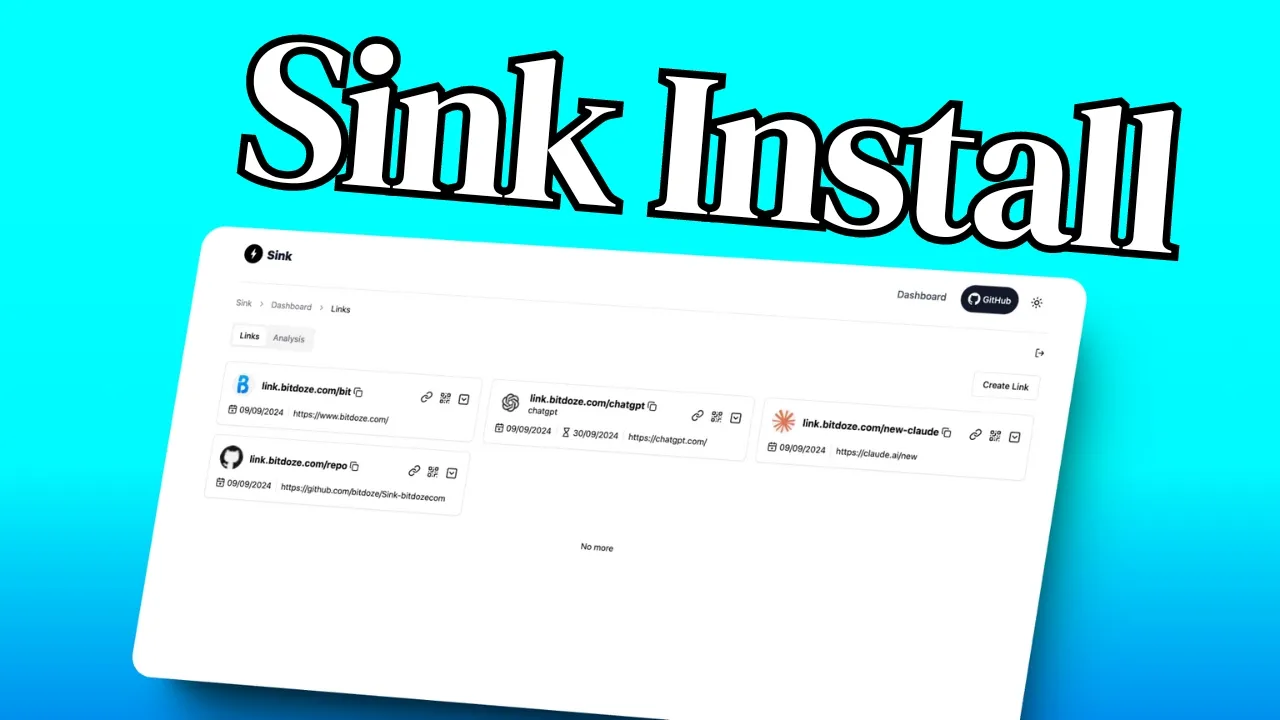
Sink is an open-source, free self-hosted link shortener that runs entirely on Cloudflare’s edge network. Originally created by ccbikai, the project has moved to the miantiao-me GitHub organization and now has around 7,000 stars. With v0.3.0, the storage layer switched from KV to Cloudflare D1 as the primary database, a breaking change that makes the old installation guide outdated. This article covers deploying Sink on Cloudflare Workers with the current D1-based architecture, updated for 2026.
What is Sink?
Sink is a self-hosted link shortener that runs on Cloudflare Workers. It uses D1 (Cloudflare’s SQL database) for permanent link storage and KV as a write-through read cache for fast redirects. The Cloudflare free tier is enough for personal and small-team use. No VPS, no Docker containers, no server to maintain.
The project is now at v0.3.0 (latest stable: v0.2.11 if you want the pre-D1 version). The repo lives at github.com/miantiao-me/Sink. It’s licensed under AGPL-3.0.
Why choose a free self-hosted link shortener?
Hosted link shorteners like Bitly start at $8/month. Dub.co has a free tier but limits features behind a paywall. Short.io caps you on the free plan. Sink costs nothing if you stay within Cloudflare’s free tier limits.
The self-hosting angle matters: you own your data, there’s no vendor lock-in, and you get analytics, AI-powered slug generation, and features like password protection and geo-based routing. All included, no upsells.
If you’re building a home server with Docker containers, Sink is a lightweight addition to your self-hosted stack, though it runs on Cloudflare, not on your server. For business use, Sink complements other self-hosted tools in your stack.
Don't want to self-host?
The same author offers S.EE, a managed link platform with 180,000+ users, A/B testing, link-in-bio pages, and commercial plans. The Sink README explicitly recommends S.EE for professional/business needs.
What’s new in Sink (2024-2026)
Sink has added a lot since the original version. Here are the highlights:
- D1 replaces KV as primary database (v0.3.0): KV is now only a redirect cache
- Link tags, filtering, and sorting (v0.3.0)
- Click webhooks with HMAC signatures (v0.2.11): Dub-style webhook payloads
- Cloudflare Access auth (v0.2.11): alternative to
NUXT_SITE_TOKEN - Duplicate URL detection (v0.2.11)
- Link check dashboard (v0.2.10): batch broken-link detection with CSV export
- Country/geo-based redirection (v0.2.9): route visitors by Cloudflare-detected country
- AI OpenGraph generation (v0.2.9): generate OG metadata from page content
- UTM parameter builder (v0.2.8): built-in with live preview
- Password protection and link cloaking (v0.2.6): per-link password gate, full-screen iframe masking
- Device-based redirection (v0.2.3): route iOS/Android/Desktop differently
- OpenGraph customization (v0.2.3): per-link OG title, description, image
- Real-time analytics (v0.2.4+): 3D WebGL globe, 10-second polling event log
- QR code generation: built-in for all short links
- Import/export: JSON for links, CSV for analytics
- Multi-language UI: 10+ languages
The ecosystem has grown too: there’s now a Chrome extension (“Sink Quick Shorten”), a Raycast extension, an iOS app, and Apple Shortcuts support.
Key features
AI-powered slug generation
Sink uses Workers AI with the @cf/qwen/qwen3-30b-a3b-fp8 model by default. When creating a link, you can let AI suggest a relevant, catchy slug based on the destination URL. It saves time when you’re shortening links in bulk.
Password protection and link cloaking
Set a per-link password to gate access, useful for sharing internal docs or time-sensitive content. Link cloaking renders the destination inside a full-screen iframe, masking the target URL. Note: cloaking only works on sites that allow iframe embedding.
Device and geo-based redirection
Route visitors to different URLs based on their device (iOS/Android/Desktop) or country (detected by Cloudflare). This is handy for app store links: send iPhone users to the App Store, Android users to Google Play, desktop users to a landing page.
Advanced analytics and link health monitoring
Sink tracks clicks with geographic data, referrer information, and device breakdowns rendered on a 3D WebGL globe. The link check dashboard (v0.2.10) batch-verifies destination URL reachability and exports broken links as CSV. You can also export access analytics as CSV.
Sink includes built-in analytics, but if you need website-wide analytics beyond link clicks, Plausible is a great self-hosted companion.
Webhooks, API, and integrations
Click webhooks (v0.2.11) send Dub-style payloads to a configured URL with optional HMAC signatures. Every Sink instance exposes OpenAPI docs at /docs/scalar, making it easy to integrate with automation tools and MCP proxies. The Chrome extension, Raycast extension, iOS app, and Apple Shortcuts integrations make Sink practical for daily use.
Technologies powering Sink
Sink’s tech stack has evolved since the original version:
| Component | Role |
|---|---|
| Nuxt 4 | Frontend framework (upgraded from Nuxt.js) |
| Cloudflare D1 | Primary database, stores all links (NEW in v0.3.0) |
| Cloudflare Workers KV | Write-through read cache for fast redirects |
| Drizzle ORM | Database access layer for D1 |
| Cloudflare R2 | Optional: automatic backups and social images |
| Shadcn-vue + Tailwind CSS | UI components and styling (unchanged) |
How D1 and KV work together
D1 stores your links permanently. KV caches them for fast redirects. Both are required. When you create a link, it writes to D1 first, then to KV. Redirects read from KV (fast) and fall back to D1 if the cache misses. This is a different architecture from the original article where KV was the only storage.
Deploy Sink on Cloudflare Workers (recommended)
Cloudflare Workers is the recommended deployment method. Pages still works but is deprecated. This section walks through the full setup.
Video may be outdated
The video above was recorded before the D1 migration. Follow the written steps below for the current deployment process.
Prerequisites
- Cloudflare account (free tier is fine)
- GitHub account (to fork the repository)
- A domain added to Cloudflare (for custom short URLs)
- Cloudflare API token with Account > Account Analytics > Read permission (create at Profile > API Tokens)
Step 1: Fork the repository
Go to github.com/miantiao-me/Sink and click Fork. This creates your own copy under your GitHub account.
If you previously forked ccbikai/Sink, GitHub redirects still work, but update your bookmarks and any CI references to the new URL.
Step 2: Create a Cloudflare D1 database
This step is new since v0.3.0
Without a D1 database, Sink cannot store links. This didn’t exist when the original article was written.
- Go to Cloudflare Dashboard > D1 > Create database
- Name it
sink - Copy the database ID from the database details page. You’ll need it later
Step 3: Create a KV namespace
- Go to Cloudflare Dashboard > Workers & Pages > KV > Create a namespace
- Name it
sink - Copy the namespace ID. You’ll need it in the next step
Step 4: Deploy with Workers Git integration
- Go to Cloudflare Dashboard > Workers & Pages > Create
- Select Workers (not Pages)
- Click Connect to Git and authorize GitHub
- Select your forked Sink repository and the
masterbranch - Set Build command:
pnpm build - Set Deploy command:
pnpm deploy:worker - Click Save and Deploy
Step 5: Configure build variables and bindings
After the first deployment, configure two sets of settings.
Build variables (Settings > Variables and Secrets):
| Variable | Value |
|---|---|
DEPLOY_D1_DATABASE_ID |
Your D1 database ID from Step 2 |
DEPLOY_KV_NAMESPACE_ID |
Your KV namespace ID from Step 3 |
Runtime bindings (Settings > Bindings):
| Binding Name | Type | Resource |
|---|---|---|
DB |
D1 Database | sink |
KV |
KV Namespace | sink |
ANALYTICS |
Analytics Engine | Dataset: sink |
R2 |
R2 Bucket | Optional: name: sink |
AI |
Workers AI | Optional: for AI features |
The DB binding is required
Without the D1 DB binding, you’ll get errors when creating links. This is the most common deployment mistake since v0.3.0.
Environment variables (Settings > Variables and Secrets):
| Variable | Value |
|---|---|
NUXT_SITE_TOKEN |
Your admin password (minimum 8 characters) |
NUXT_CF_ACCOUNT_ID |
Your Cloudflare account ID (visible in the dashboard URL) |
NUXT_CF_API_TOKEN |
API token with Account Analytics Read permission |

Step 6: Complete storage setup (first run)
After deployment, you must initialize the database. This is a one-time step.
- Open
https://your-domain/dashboard - Log in with your
NUXT_SITE_TOKEN - Navigate to Links
This triggers the storage initialization. Until you do this, the API returns HTTP 423 (Storage not ready). If you skip this step, link creation will fail.
Step 7: Add your custom domain
- Go to Workers & Pages > your project > Settings > Domains & Routes
- Click Add custom domain
- Enter your domain (e.g.,
go.yourdomain.com) - Cloudflare handles DNS and TLS automatically
Verify the domain is active:
curl -I https://your-domain/test-slugYou should get a 301 or 302 redirect (even if the slug doesn’t exist yet, the worker is responding).

Deploy Sink on Cloudflare Pages (deprecated)
Cloudflare Pages is deprecated
Use Workers (above) for new installations. The steps below are for existing Pages users who want to upgrade.
Pages deployment still works but requires extra configuration:
- Enable the
nodejs_compatcompatibility flag in your Pages project settings (this wasn’t required before) - Add
CLOUDFLARE_API_TOKENwith D1 Edit permission andCLOUDFLARE_ACCOUNT_IDas environment variables. Thepostbuildscript runs D1 migration automatically onmasterbranch builds - All other bindings (DB, KV, ANALYTICS, R2, AI) still apply
Already hosting an Astro blog on Cloudflare? Sink fits alongside your existing Cloudflare projects, though Workers is the simpler path now.
Post-deployment: verification and troubleshooting
Verify your deployment
- Open
https://your-domain/dashboard— should show the login screen - Log in with
NUXT_SITE_TOKEN - Create a test short link — verify the redirect works by visiting it in a browser
- Check the analytics page — visit your test link from a different device/browser, confirm the click appears
- Visit
/docs/scalar— the API documentation should be accessible
Common issues and fixes
I can't create short links / HTTP 423 errors
Cause: Storage not initialized, or the DB and KV bindings are missing.
Fix: Open your Sink dashboard, navigate to Links once to trigger initialization. If that doesn’t help, check that both DB (D1) and KV bindings are configured in Workers settings. Redeploy after adding bindings.
Analytics is empty
Cause: Missing ANALYTICS binding, wrong dataset name, or API token lacks the right permission.
Fix: Ensure the ANALYTICS binding exists with dataset name sink. Verify your NUXT_CF_API_TOKEN has “Account > Account Analytics > Read” permission. Redeploy after changes.
Custom slugs lose uppercase letters
Cause: Slugs are case-insensitive by default.
Fix: Set NUXT_CASE_SENSITIVE=true in environment variables and redeploy. Note that this means Go/Link and go/link will be different URLs.
Cloaked page shows blank
Cause: The target site blocks iframe embedding via X-Frame-Options or Content-Security-Policy headers.
Fix: Cloaking only works on sites that allow being embedded. Most major sites (Google, GitHub) block it. Test with a site you control.
Redirects show the old destination
Cause: Browser or CDN caching the redirect response.
Fix: Set NUXT_REDIRECT_NO_STORE=true in environment variables to prevent caching. You can also adjust NUXT_LINK_CACHE_TTL (default: 60 seconds) to control KV cache duration.
Migrating from pre-v0.3.0 (KV-only) to D1
Cause: Upgrading from a version that stored links only in KV.
Fix: Deploy v0.3.0 with your original KV namespace still bound. Then open Dashboard > Links — this triggers the KV-to-D1 migration automatically. The API returns HTTP 423 until migration completes. Existing links continue working during migration as long as the original KV namespace stays bound.
Advanced configuration options
Sink exposes many environment variables for fine-tuning behavior. Changing any of these requires a redeploy on Workers.
Environment variables reference
| Variable | Default | Purpose |
|---|---|---|
NUXT_HOME_URL |
empty | Redirect / to a URL |
NUXT_NOT_FOUND_REDIRECT |
empty | Custom 404 destination |
NUXT_REDIRECT_STATUS_CODE |
301 |
Redirect HTTP code (301/302/307/308) |
NUXT_LINK_CACHE_TTL |
60 |
KV cache TTL in seconds |
NUXT_REDIRECT_WITH_QUERY |
false |
Forward visitor query params to destination |
NUXT_CASE_SENSITIVE |
false |
Preserve slug case |
NUXT_DISABLE_BOT_ACCESS_LOG |
false |
Drop bot traffic from analytics |
NUXT_DISABLE_AUTO_BACKUP |
false |
Disable scheduled R2 backups |
NUXT_AI_MODEL |
@cf/qwen/qwen3-30b-a3b-fp8 |
Workers AI model for slug suggestions |
NUXT_WEBHOOK_URL |
empty | Click webhook URL |
NUXT_WEBHOOK_SECRET |
empty | Webhook HMAC secret (whsec_ prefix) |
NUXT_CF_ACCESS_TEAM_DOMAIN |
empty | Cloudflare Access team domain |
NUXT_CF_ACCESS_AUD |
empty | Cloudflare Access AUD |
NUXT_PUBLIC_SLUG_DEFAULT_LENGTH |
6 |
Auto-generated slug length |
NUXT_API_CORS |
empty | Enable CORS for /api/** |
Full reference: docs.sink.cool/configuration
To undo a change: remove the variable and redeploy.
Backups and production notes
If you configured the R2 binding (Step 5), Sink runs automatic backups on a schedule. Disable with NUXT_DISABLE_AUTO_BACKUP=true. For broader R2 backup strategies, see how to configure Dokploy backups with Cloudflare R2 — the R2 setup process is similar.
Cloudflare free tier limits (relevant to Sink):
| Product | Free limit | Notes |
|---|---|---|
| Workers requests | 100,000/day | Resets at 00:00 UTC |
| D1 rows read | 5 million/day | Resets at 00:00 UTC |
| D1 rows written | 100,000/day | Resets at 00:00 UTC |
| D1 storage | 5 GB total | Sum of all databases on your account |
| KV reads | 100,000/day | |
| KV writes | 1,000/day | |
| R2 storage | 10 GB |
Cost summary
Sink runs free on Cloudflare’s free tier for personal use. Heavy traffic (thousands of links, millions of clicks) may require the Workers Paid plan at $5/month, with D1 overage at $0.001 per million rows read. For most people shortening links for social media or email campaigns, the free tier is more than enough.
Every Sink instance also exposes OpenAPI docs at /docs/scalar, which is useful for automation and AI agent integration.
Sink vs alternatives
| Feature | Sink | Dub.co | Bitly | Short.io |
|---|---|---|---|---|
| Self-hosted | Yes | Yes (open-core) | No | No |
| Cost | Free (Cloudflare) | Free tier + paid | From $8/mo | Free tier + paid |
| AI slug generation | Yes | No | No | No |
| Geo/device routing | Yes | Yes | Yes (paid) | Yes (paid) |
| Password protection | Yes | No | No | No |
| Cloudflare-native | Yes | No | No | No |
Sink’s main advantage is that it runs entirely on Cloudflare’s free tier with no server to manage. If you’re managing a broader self-hosted setup, you can compare the best server panels or check out Coolify as a self-hosted PaaS. If you use Dokploy for self-hosting, Sink is one more service you can run alongside — though on Cloudflare rather than your VPS.
Extending Sink: apps and integrations
Sink has several clients and integrations:
- Chrome Extension: “Sink Quick Shorten” lets you right-click any URL to shorten it (Chrome Web Store)
- Raycast Extension: “Sink Short Links Manager” for macOS power users (Raycast Store)
- iOS App: Native iPhone app on the App Store
- Apple Shortcuts: macOS and iOS automation integration
- API: OpenAPI docs at
/docs/scalar, MCP support via OpenAPI proxy
These make Sink far more practical than a dashboard-only tool. You can shorten links from your browser, phone, or terminal without opening the dashboard.
Conclusion
Sink started as a simple Cloudflare KV-based shortener and is now a full link management platform. The v0.3.0 D1 migration makes it a proper database-backed application while keeping the zero-server, zero-cost deployment model. Password protection, geo routing, webhooks, and the extension ecosystem (Chrome, Raycast, iOS, Apple Shortcuts) make it a solid choice for anyone who wants link shortening without monthly fees or vendor lock-in.
If you’re building out your self-hosted stack, Sink pairs well with Docker containers for your home server — one runs on your infrastructure, the other runs free on Cloudflare’s edge.
View Sink on GitHub